
Supervision with the Dispatch Console
With the Dispatch Console you see the status and location of every walkie-talkie, manage groups, send messages and respond to emergency calls.
Our nationwide push-to-talk system also has a Dispatch Console. The Dispatch Console offers far more than classic radio trunking systems. Customers don't have to use it, but it provides many extra possibilities.
Staff in a dispatch centre or operations/coordination room can use this software to:
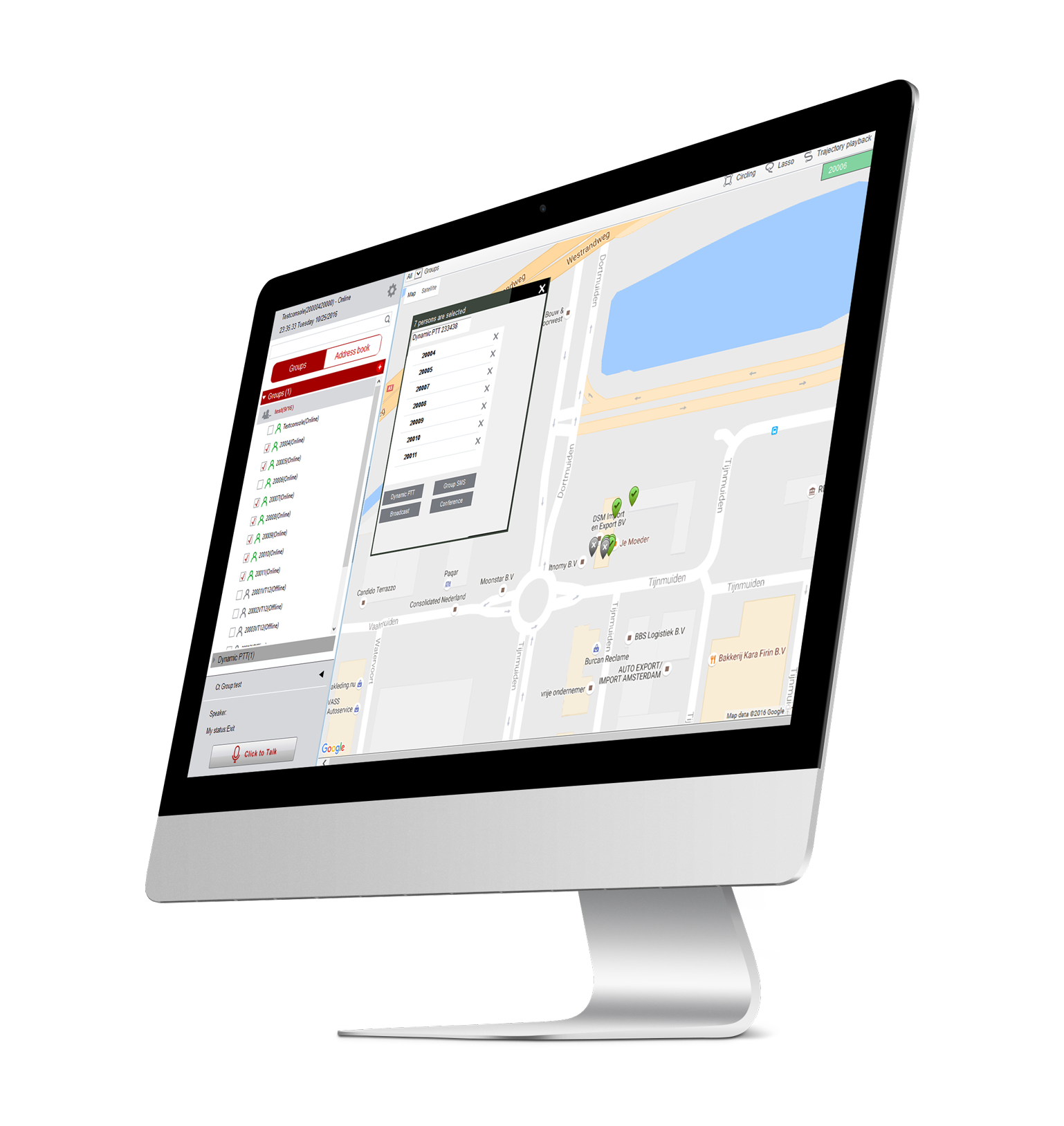
See the status of every walkie-talkie (on/off, in a call, etc.)
You can see whether a walkie-talkie is on or off. You can also see which walkie-talkie is talking at that moment and which others are listening.
View the current and last known location of every walkie-talkie
The current location of the walkie-talkies is shown continuously on screen. When a walkie-talkie moves (for example in a moving vehicle), you see it move on the map. If a walkie-talkie is off or has no GPS signal, you see its last known location.
Show locations on Google Maps, with street and terrain maps
You can view the walkie-talkies on the street map or the terrain map, and zoom in and out.
Create, edit or delete groups
You can create new walkie-talkie groups in the Dispatch Console. You can also edit or delete groups you created.
Replay routes
You can replay the route a walkie-talkie travelled in the past. This location data can be stored for a longer period.
Send text messages to one or more walkie-talkies
The Dispatch Console can send text messages to one or more walkie-talkies. It is an effective way to spread information quickly. It works just like SMS, but within our walkie-talkie system.
Talk to groups or to any individual walkie-talkie
The Dispatch Console is also a full walkie-talkie: you can use your computer as a walkie-talkie. The console offers more than a walkie-talkie, though. You can talk directly to a single walkie-talkie, or pick a few, instantly create a temporary group and talk in that group.
Talk to all walkie-talkies in a specific area
You can mark an area on the map and create a temporary group with all the walkie-talkies in that area.
Send and receive images and videos
The Dispatch Console can send photos and videos to the walkie-talkies and receive multimedia from them. This data can be stored for a longer period and consulted later.
Respond to emergency calls
When a walkie-talkie uses the emergency call function, the Dispatch Console shows an alert with a pop-up and siren sound. The dispatcher can then help the caller straight away.
Make video calls with the walkie-talkies
Video calls between the console and the walkie-talkies are possible. These videos can be stored.
Watch through a walkie-talkie's camera (live view)
With the Dispatch Console you can watch through the camera of one or more walkie-talkies. This also lets you use the system as a mobile camera system.
View location history
You can see which walkie-talkie was where, also over longer periods.
Set up an electronic fence
You can define a work area for each walkie-talkie. The console alerts you when a walkie-talkie leaves and/or re-enters that area.